
Best Map App for China? What to Install Before Visiting Sanxingdui (2026)
A practical guide for foreign visitors: which map app to install before going to Sanxingdui, what works on iPhone and Android, and how to save Chinese place names.
Quick Answer
If you use iPhone: Use Apple Maps first. Keep Amap Global as a backup.
If you use Android: Use Amap Global first. If you can read some Chinese, Baidu Maps can be a backup.
If you are going to Sanxingdui: Save the museum name, your hotel, and Guanghan North Station in both English and Chinese before you leave Chengdu.
Do not rely on Google Maps alone: It is useful for some planning, but it is not the best main app inside mainland China.
If you are planning a trip to Sanxingdui, the map app is not a small detail. It can decide whether your day feels easy or confusing.
The main question is not only “What is the best map app for China?” The better question is: what should you install before you go to Sanxingdui?
For that trip, you only need one main app and one backup app. You do not need to install everything.
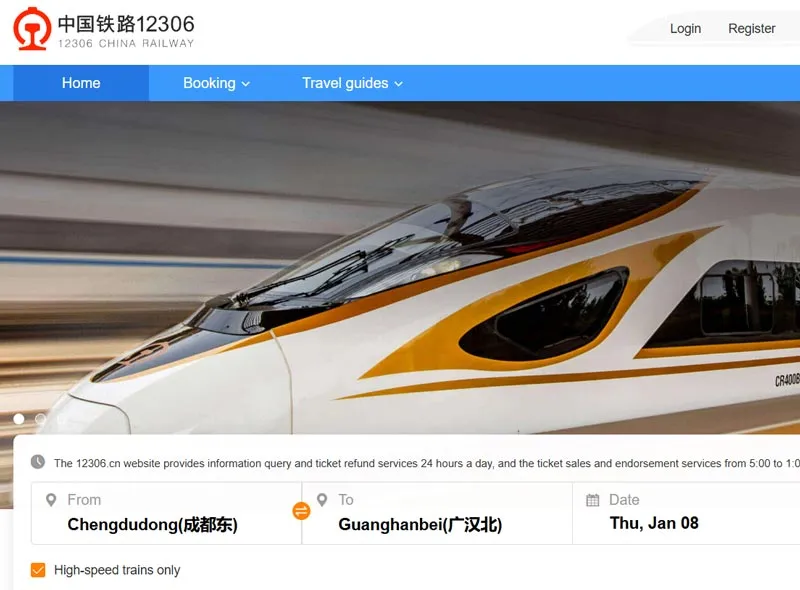 Before you leave Chengdu, it helps to save your route, hotel, and museum name in advance.
1. The short answer for Sanxingdui travelers
Here is the simple version:
| Device | Main app | Backup app | Why |
|---|---|---|---|
| iPhone | Apple Maps | Amap Global | Apple Maps is easy to read in English. Amap Global is better for local details. |
| Android | Amap Global | Baidu Maps | Amap Global works well for most trips. Baidu Maps is useful if you can read some Chinese. |
| Any phone | Google Maps for planning only | None | Google Maps is fine for checking the big picture, but it should not be your only app in China. |
If you only want one rule, use this:
- iPhone: Apple Maps first
- Android: Amap Global first
2. Why this matters more on the Chengdu-to-Sanxingdui route
Sanxingdui is not in central Chengdu. You will usually need at least one extra step: train, taxi, ride-hailing, or a local transfer.
That is why map choice matters more than usual:
- You need to find the right station or hotel
- You may need to copy a Chinese address to a driver
- You may need to check the last part of the trip after you arrive in Guanghan
- You may need to save the museum, your hotel, and the return point on the same day
If your map app is hard to read, the trip becomes slower before it even starts.
3. Why Google Maps is not enough in China
Google Maps is still useful for planning, but it should not be your main app inside mainland China.
There are three common problems:
- It may need extra network tools to work well
- Some local data can be outdated
- Search results may not always match the place names people use on the ground
That is why many travelers keep it as a backup, not as the main navigation app.
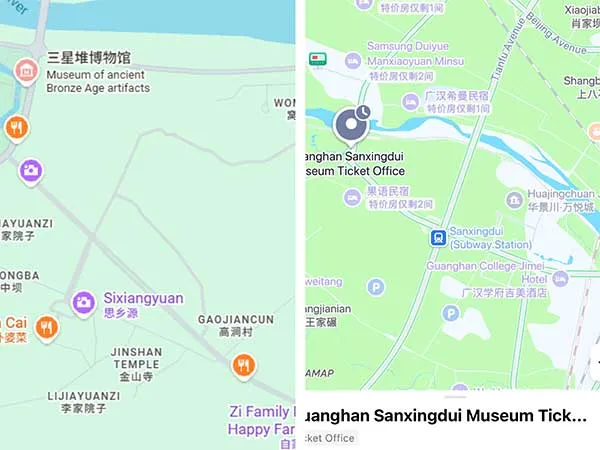
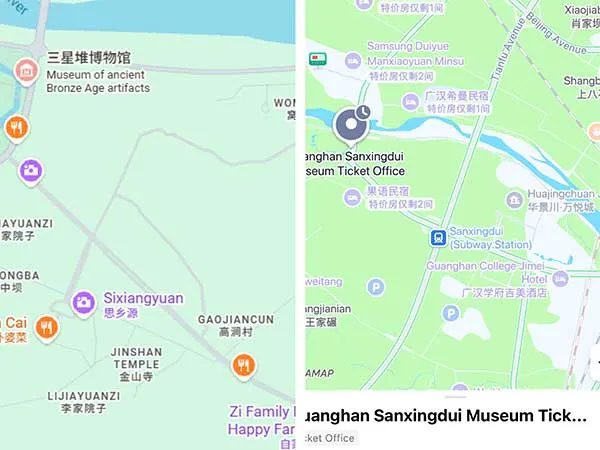 Amap Global usually shows more local detail inside mainland China.
4. Best app for iPhone users
If you use an iPhone, start with Apple Maps.
Why it works well:
- The interface is easy to read in English
- It is simple to use for hotels, stations, and food stops
- It is less stressful for first-time travelers
But do not stop there. Add Amap Global before your trip.
Why keep a backup:
- Some local place names are easier to match in Amap Global
- It is more useful for detailed local routes
- It can help when you need to compare English and Chinese names
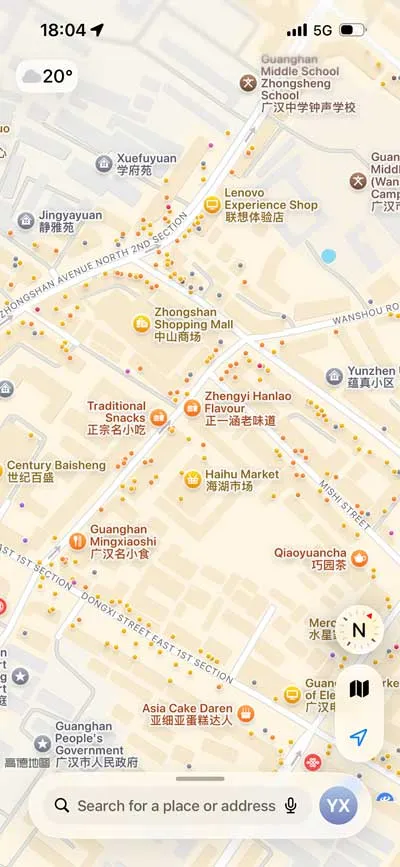 Apple Maps is easy to read if you mainly want English labels and simple directions.
iPhone tip for Sanxingdui
Before you leave Chengdu, save these places:
- Sanxingdui Museum
- Your hotel in Chengdu
- Guanghan North Railway Station
- Any restaurant or cafe you want to visit later
Save each place in both English and Chinese if you can.
5. Best app for Android users
If you use Android, Amap Global should be your first choice.
Why I recommend it:
- It works well for local navigation
- It usually gives more useful detail than a foreign-only app
- It is better for taxi and route use inside China
If you can read some Chinese, you can also keep Baidu Maps as a backup.
But for most foreign visitors, the best daily choice is still Amap Global.
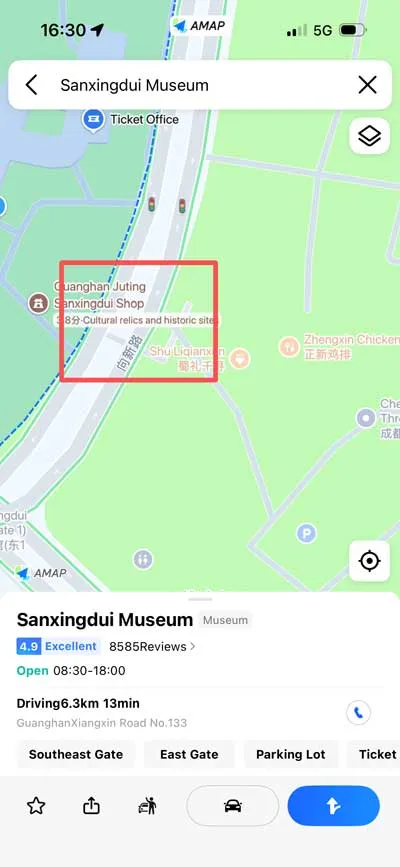 Amap Global is useful when you need more local detail, especially around stations, parking, and road level changes.
6. How to use your map app for Sanxingdui
This is the part most travel guides skip.
Step 1: Save the museum name
Save:
- English name:
Sanxingdui Museum - Chinese name:
三星堆博物馆
Step 2: Save the station name
If you are coming by rail, save:
Guanghan North Railway Station广汉北站
Step 3: Save your hotel
Put your hotel name in the app before you arrive.
If the hotel name is hard to search in English, save the Chinese name too.
Step 4: Save the return point
On the day of your visit, save:
- the museum
- your hotel
- the station
- the place where you will meet a driver or taxi
That way, you do not need to search again when you are tired.
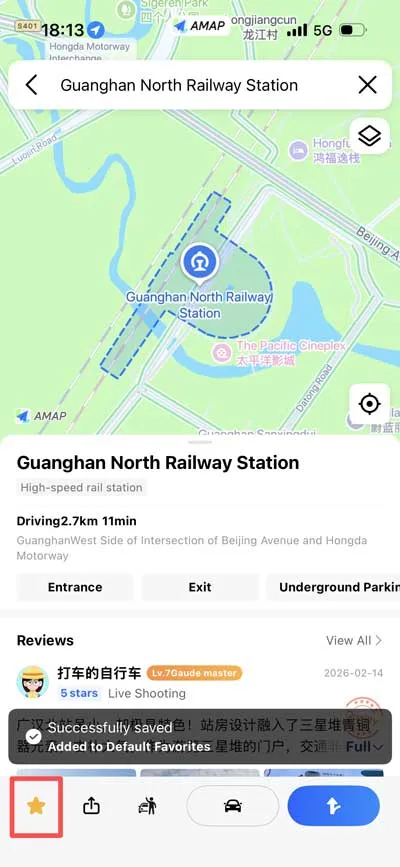 Saving places in advance makes the return trip much easier.
7. Common mistakes
These are the mistakes I see most often:
- Only saving English names
- Waiting until you arrive to install the app
- Using only one app for the whole trip
- Not saving the Chinese version of the address
- Forgetting to save the museum and station before departure
If you avoid those five mistakes, your day at Sanxingdui will usually feel much smoother.
8. My recommended map setup for this site
If I were preparing a Sanxingdui trip from scratch, I would use this setup:
- Main app on iPhone: Apple Maps
- Main app on Android: Amap Global
- Backup app: the other one from the table above
- Planning app: Google Maps
- Notes app: a place to store English and Chinese names
That is enough for most visitors.
9. FAQ
Is Google Maps enough for China?
No. It can help with planning, but it should not be your only map app in mainland China.
What is the best map app for China on iPhone?
Apple Maps is the easiest main app for iPhone users. Keep Amap Global as a backup if you want more local detail.
What is the best map app for China on Android?
Amap Global is the best starting point for most Android users. If you can read some Chinese, Baidu Maps can be a backup.
Do I need Chinese names for Sanxingdui?
Yes. Save both English and Chinese names for the museum, your station, and your hotel. That makes searching and taxi use much easier.
10. What to read next
- How to Get to Sanxingdui Museum from Chengdu
- Sanxingdui Museum Tickets for Foreign Visitors
- About this site
Final thought
If you only remember one thing, remember this: for Sanxingdui, the best map app is the one that helps you save the right names before you leave Chengdu.